meta data for this page
Note: The image below is a static preview and contains no clickable dialogs. To navigate away after reviewing:
- Go Back: Return to the Widget Select page or use the browser's back arrow (swipe right-to-left).
- Explore: Choose a new topic from the left sidebar menu.
Widget: Media Controller
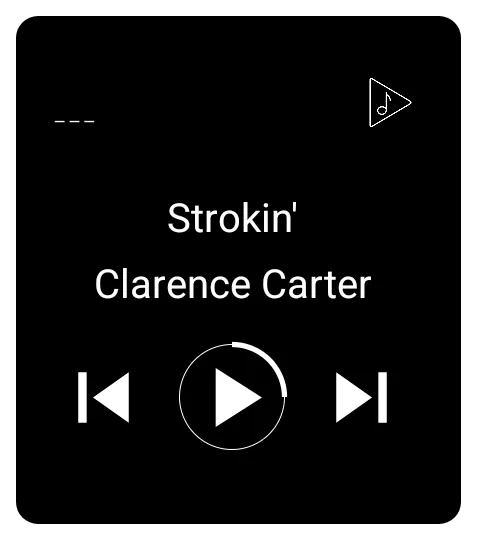 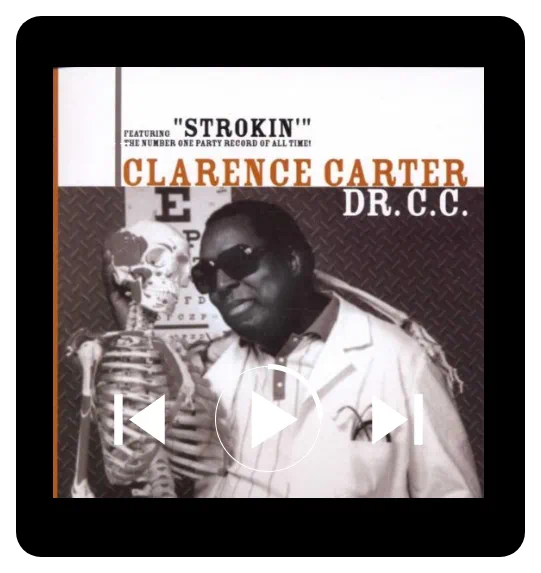 | This controls a media application and specifically works with media player apps that adhere to the MediaController API of the Android framework. Rather than attempting to list compatible media players, if the widget does not perform, the user should determine whether the media player meets this criterion. The Media Controller displays a set of controls (buttons) along with media metadata (title and artist) and album art for managing audio or video playback. |
Key Functions and Configuration
Configuration for the Media Controller is handled through its dedicated options menu:
- Target Application: Users can specify the target application (on the user's device) for the widget to control.
- Control Box Size: Sets the height of the control buttons, measured in pixels.
- Control Box Offset: Adjusts the vertical positioning of the controls.
- Hide on no session: If checked, this setting will remove the widget from the screen. Conversely, the widget will “pop up” when the target player starts.
Visual Customization
The Media Controller offers detailed options for customizing its appearance:
- Metadata Text: Text size (in pixels), text color, and typeface control the appearance of the title and artist displayed by the controller.
- Control Icons: control buttons and the playing animation icon color is controlled by icon color setting
- Skin (Foreground Image): This foreground image covers the album art and text but is layered to lay under the control button
- Container Aesthetics:
- Like other built-in widgets, the Media Controller allows customization of the Background and Margins.
- If a background is used, the album area is replaced.
- The rounded corner radius setting allows the widget container modification from a 90-degree corner to a circle.
Want to disable the music widget's animation?
After adding the widget, long-press to open the widget settings and toggle album art on/off.
You could leave a comment if you were logged in.
Comments & Feedback
Toby Lancer is ready to help! Look for the Quick Help form:
► Desktop: left sidebar located near the bottom for Private to Admin
► Mobile: 3-bar menu at page top.
► Use the Discussion section below to share any experiences and communications with other Total Launcher users.
► Any Registered User can directly update this and any wiki page if desired.
Moderation: To keep the manual clean, all comments are held for appropriateness review. Preview any comment before submitting it. It will not be displayed after submission until it is reviewed. So, please, do not resubmit.
Formatting: If using any code snippets, place them inside code tags (e.g., 'code') using double single quotes (') before and after to keep them readable.
Be Kind: This is a community effort. Please keep feedback constructive and on topic.
~~DISCUSSION~~