Table of Contents
Mastering Android Theming: A Total Launcher Window and Widget Configuration Tutorial
Mastering Android interface customization requires precise control over container elements and layout properties. This tutorial outlines the exact steps to create a functional window container that hosts application widgets within the Total Launcher ecosystem. By establishing a solid visual foundation, designers and enthusiasts can avoid common configuration pitfalls, such as unintentionally deploying transparent, unselectable screens. These structured techniques ensure a stable dashboard framework creating windows.
From experience, a window can be created, and the user can not see it!
This happens if 2 options and 1 action are set:
- Option 1: The
Main menu>Launcher Options>UI & Animation>Blur behindis not activated. - Option 2: The window object
Background>Color>ARGB codeis set to transparent such as 00000000 - Action: The user has no objects placed in the window container.
Sounds too simple, but happens … and if it does, try to remember this tip!
Since the above TIP has been mentioned, the procedure includes the “simple” addition of an “App widget”. If that is not what is wanted, simply change what the window contains… leave the window empty, but make sure to retain the default background so the window does not appear to “disappear”.
Window: Create (simple)
Step 1
- On the home screen, enter Edit On mode (see here for details), or one method is to long-press an empty space.
Step 2
- In the to Object Design Menu tap the
 icon
icon

Step 3
- Select Graphic
Step 4
- Select either •Image or •Text
- Image if the screen object to open the window will be an icon-type
- Text if the screen object to open the window will be text-based
- Note: There is another way to open a window: gestures.
Imagewill be the example selected here
Step 5
- From the dialog listing, select
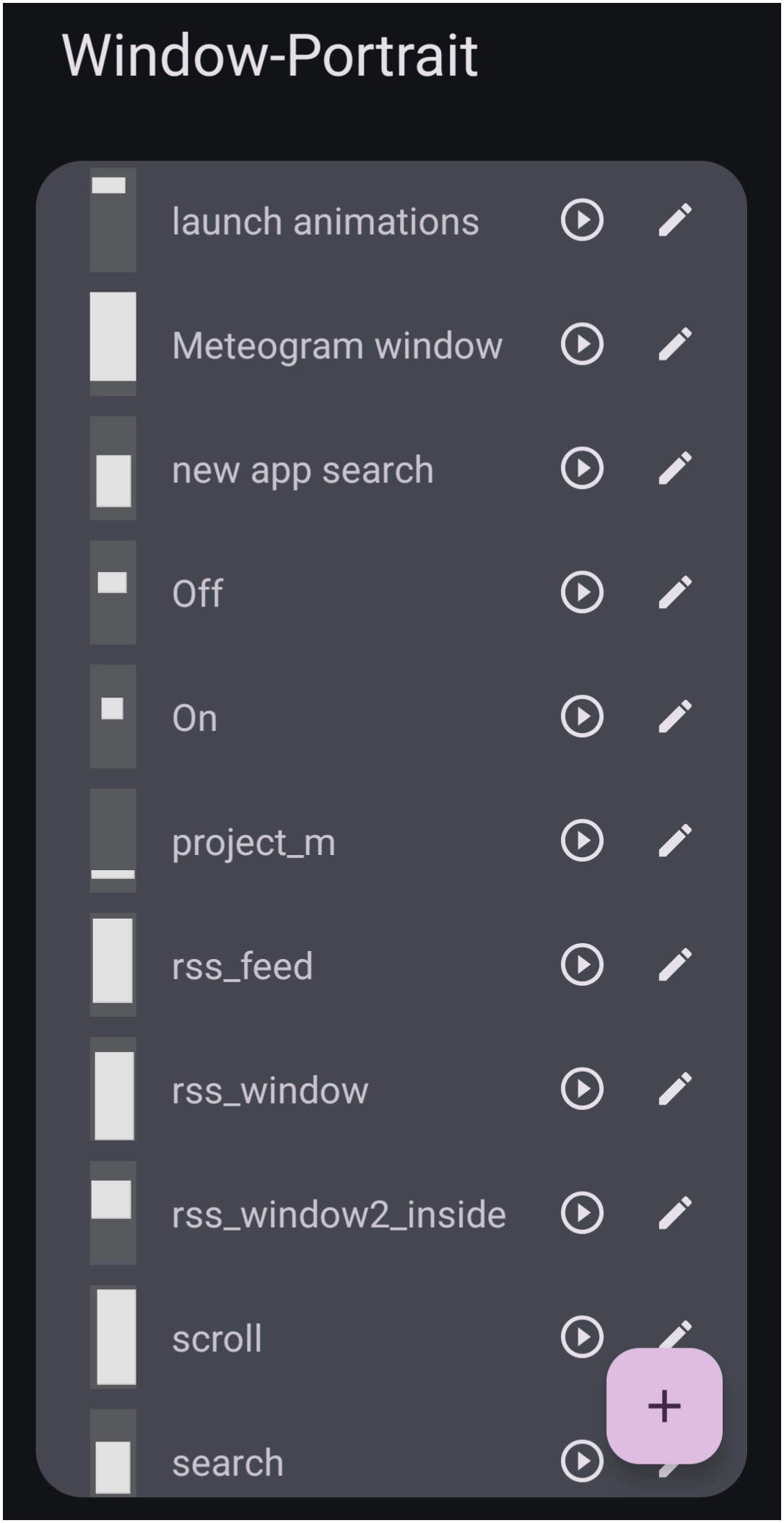
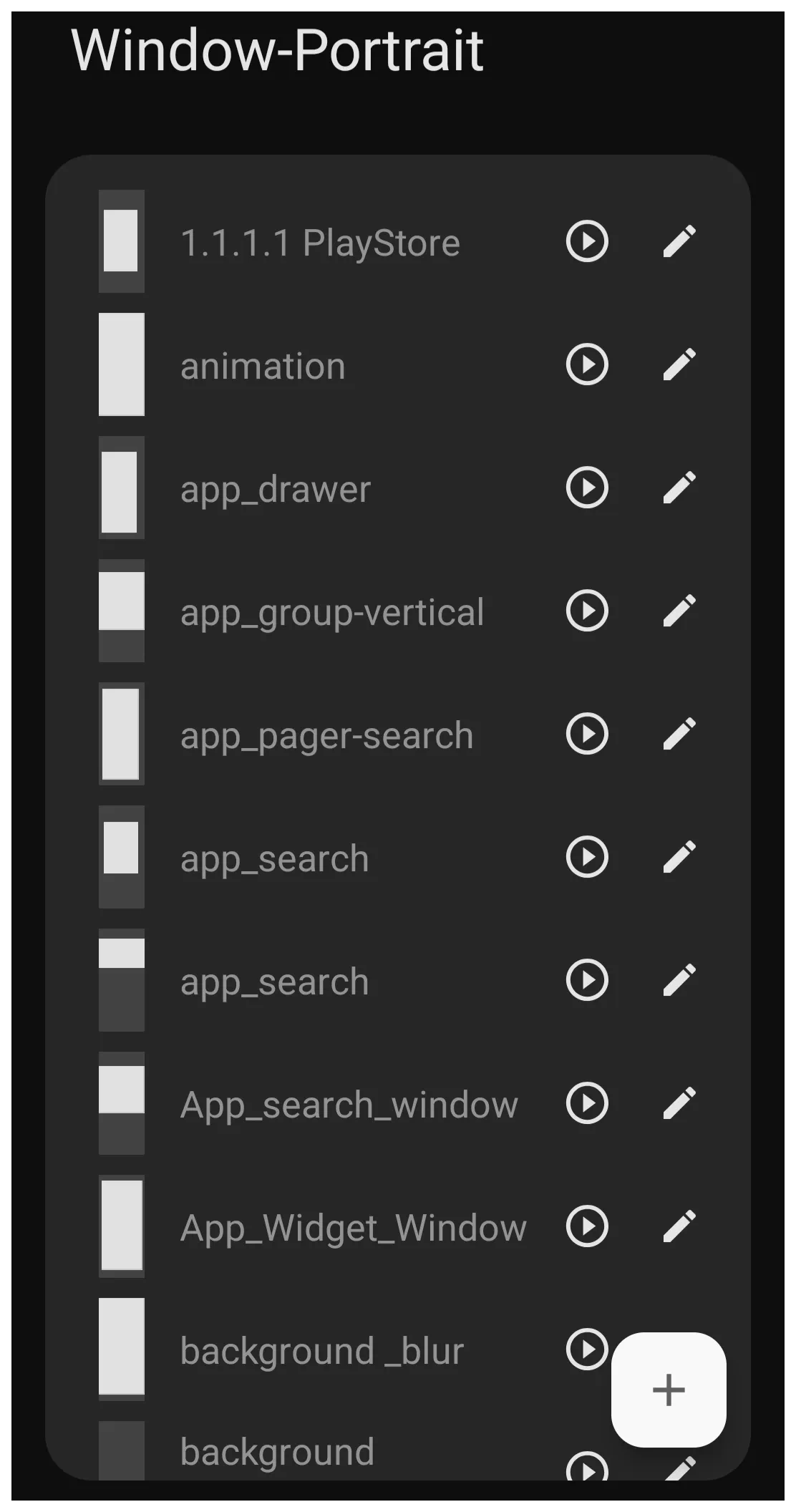
Window- The Window-Portrait dialog shows any previously created windows (see image).
- When a window design is created, it is specific to its designed purpose and will retain its previous characteristics or, if modified here, will change those characteristics where it is being used elsewhere.
- To add a unique window design, in the lower right corner tap
- In the Title dialog, enter a unique name for the new design. As an example:
App_Widget_Window- Note: no spaces or hyphens are permitted, only underscores (_)
- Tap OK
Step 6
- Tap the Action icon
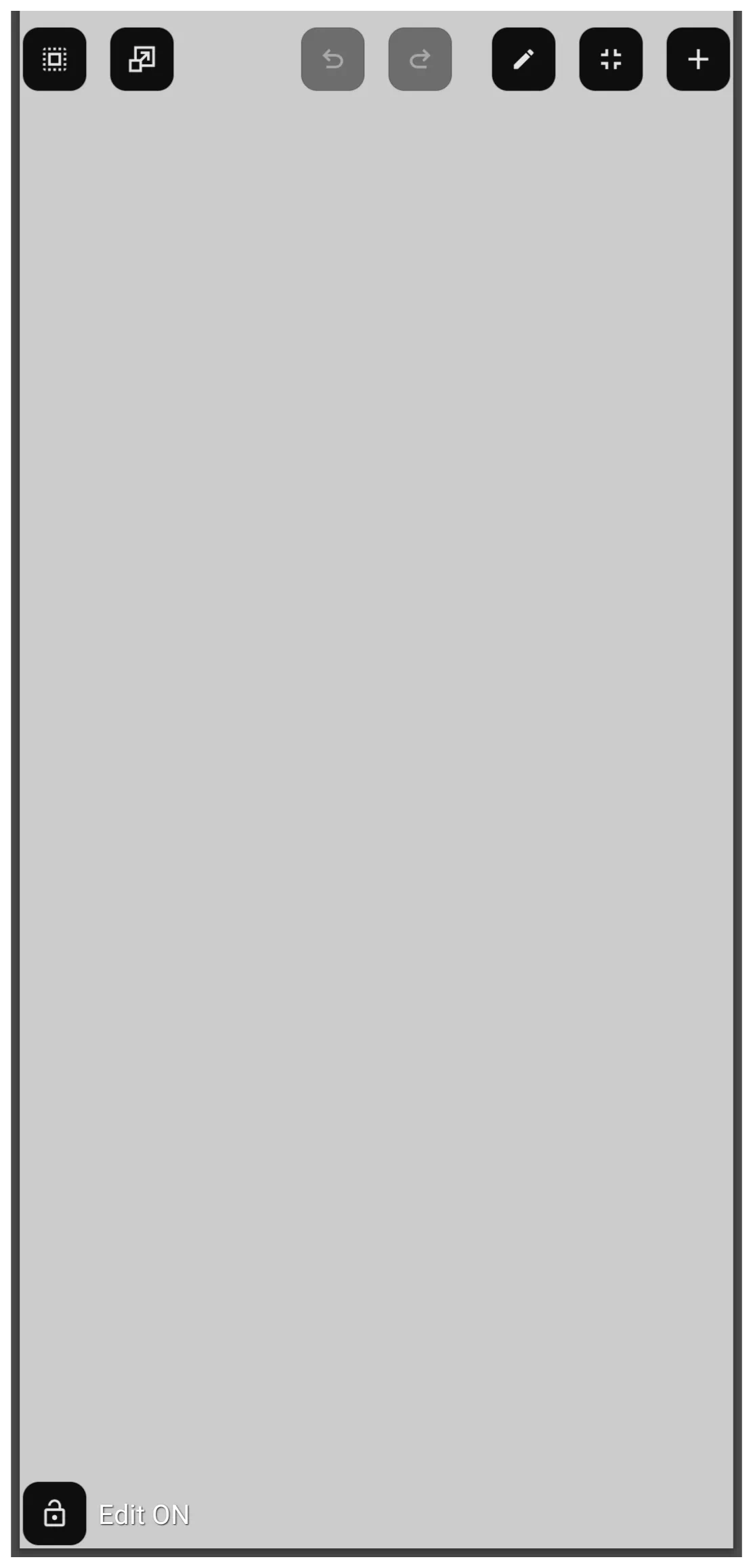
 to open the new window in full screen mode (see image). By default, the window background is light gray. The top Object Design Menu
  includes 2 key icons:
- Edit (pencil)
 - Tap this to enable:
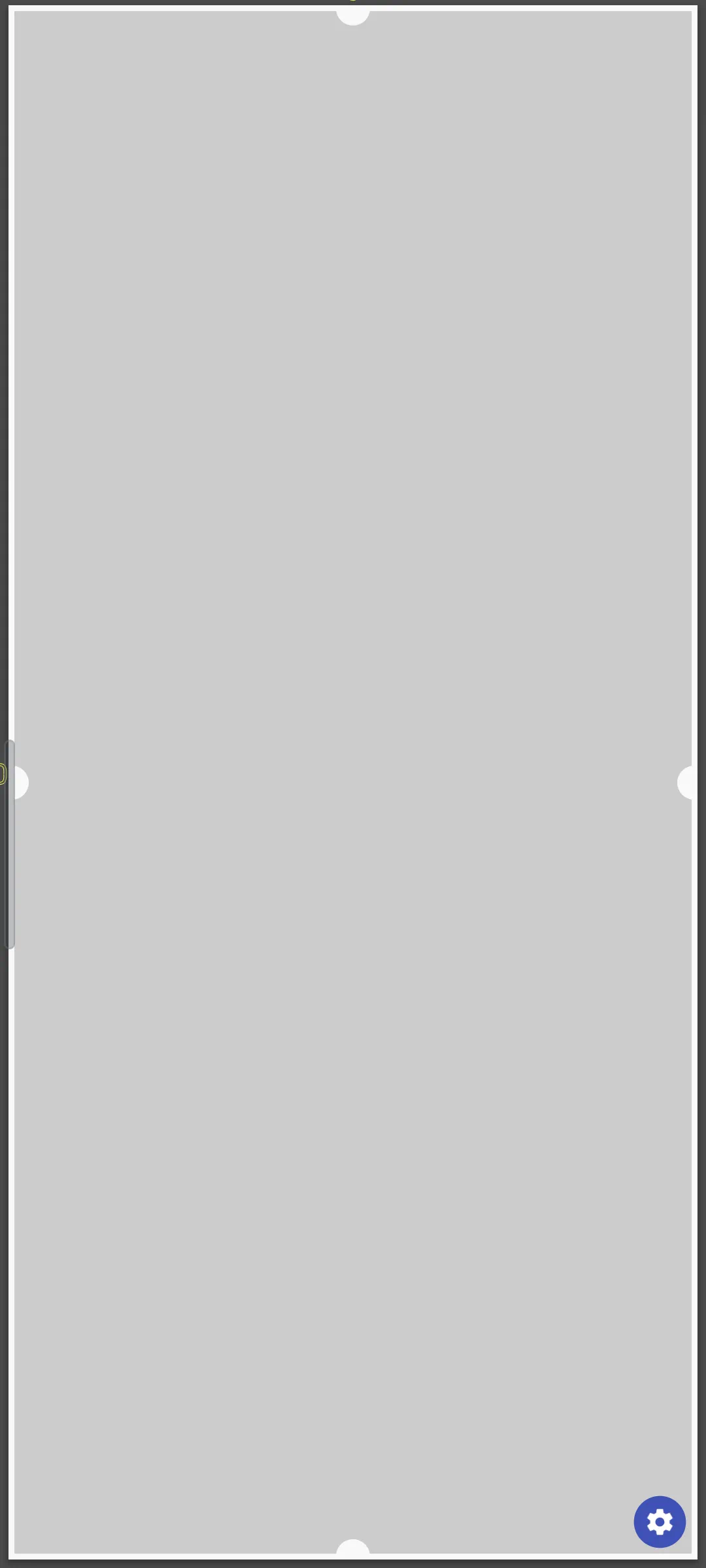
- Bulb handles on its boundaries are used to downsize the window
- Option icon
 in the lower right corner of the window opens the Window Option dialog and the Window Animation dialog. (see image).
 - While the Edit and Option dialogs will not be discussed here, more information is available at Window in the uiTotalLauncherManual wiki.
- Add icon
 - opens the Add Object dialog
- Objects, such as an app widget, layout, or graphic, can be added to a new window.
- In this example, only the window is being created, so an object will not be added.
- If an object is to be added now, see these steps, which will replace Steps 6.3 and 6.4, and the procedure Window: Add an Existing Widget to a Window after the Window Has Been Created. Click here.
- Back out of the window by swiping right-to-left to return to the Window-Portrait dialog
- Back out of the dialog by swiping right-to-left again



Step 7
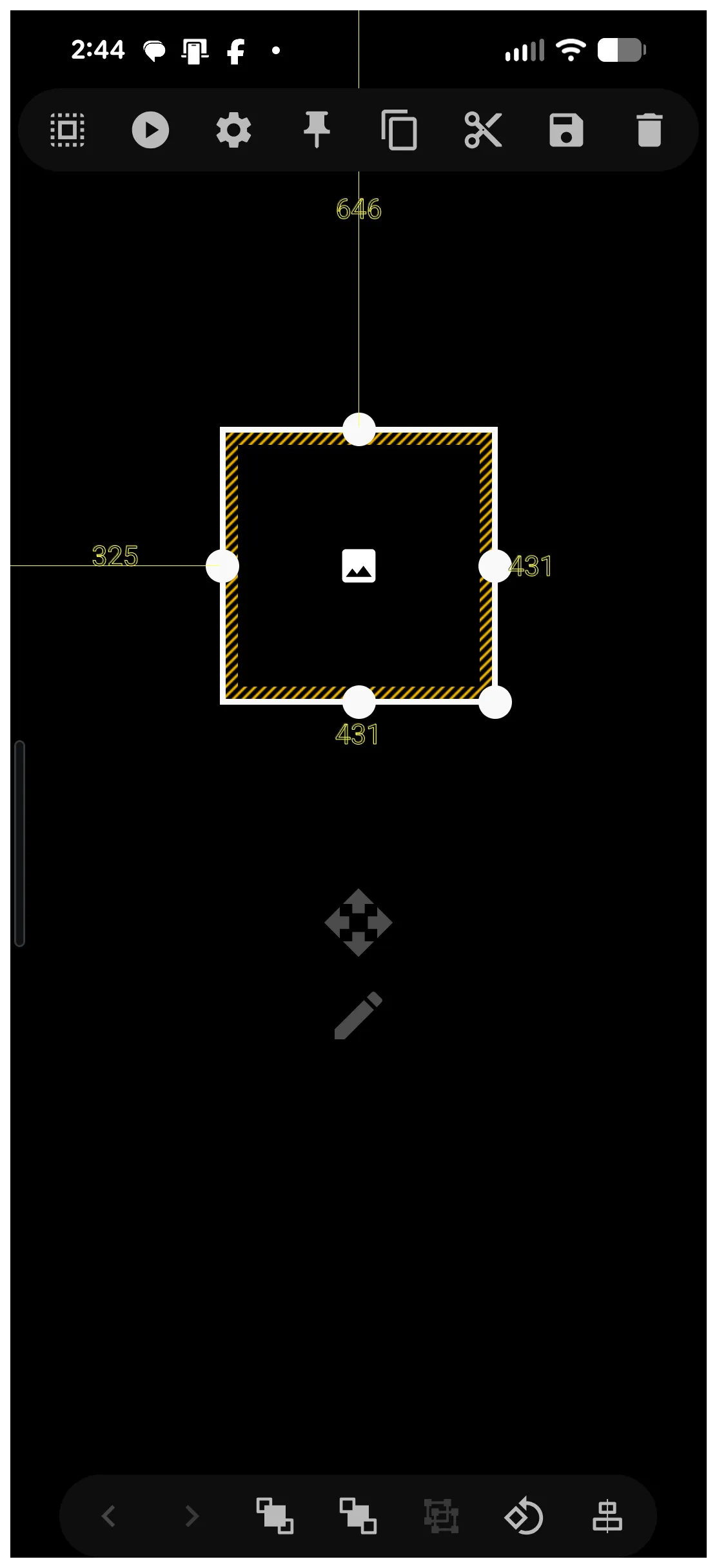
- The new “image” for the window object icon (not the window itself) appears in the center of the selected page (highlighted) (see image).
- The “bulbs” in the center of each container border can be used as a handle to tap-hold and drag to modify the area of the window object icon.
- Resize and position on the screen as desired
- This window object icon can also be resized and moved by opening its Edit mode
 with a light tap on the selected object. This method of editing is reviewed in detail at Object Editing.
- The window object icon, which activates the window, is on the page with its default image.
- This image can be changed by selecting the object (tap and hold to highlight), which opens the top Object Design Menu.
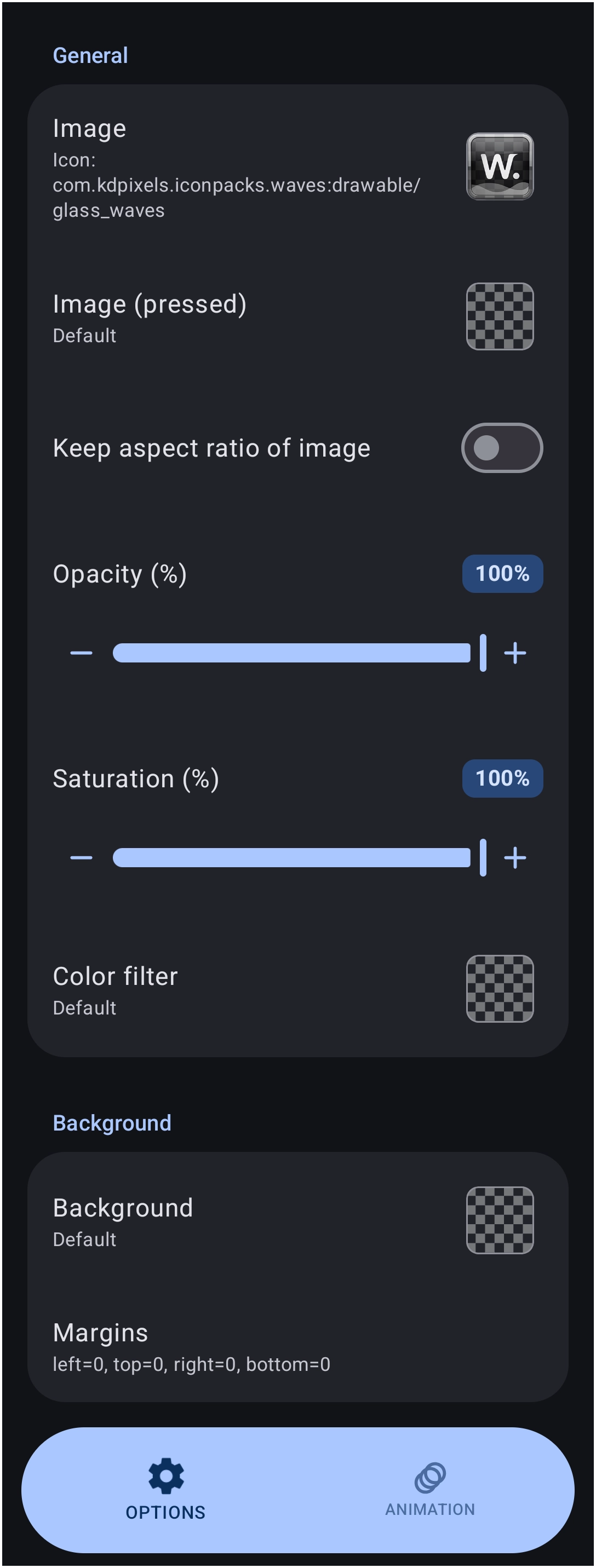
- The top Object Design Menu Option icon opens the Option Edit dialog (see image).
- Tap the Image field to open the Image selection categories.
- Experiment with the Image and Icon Pack categories.
- Once completed, back out to see the window object icon selected with the new image.
- To open the newly created window, the window object icon must be linked to that action
- The window object icon must be selected, then …
- Tap the top Object Design Menu Action icon
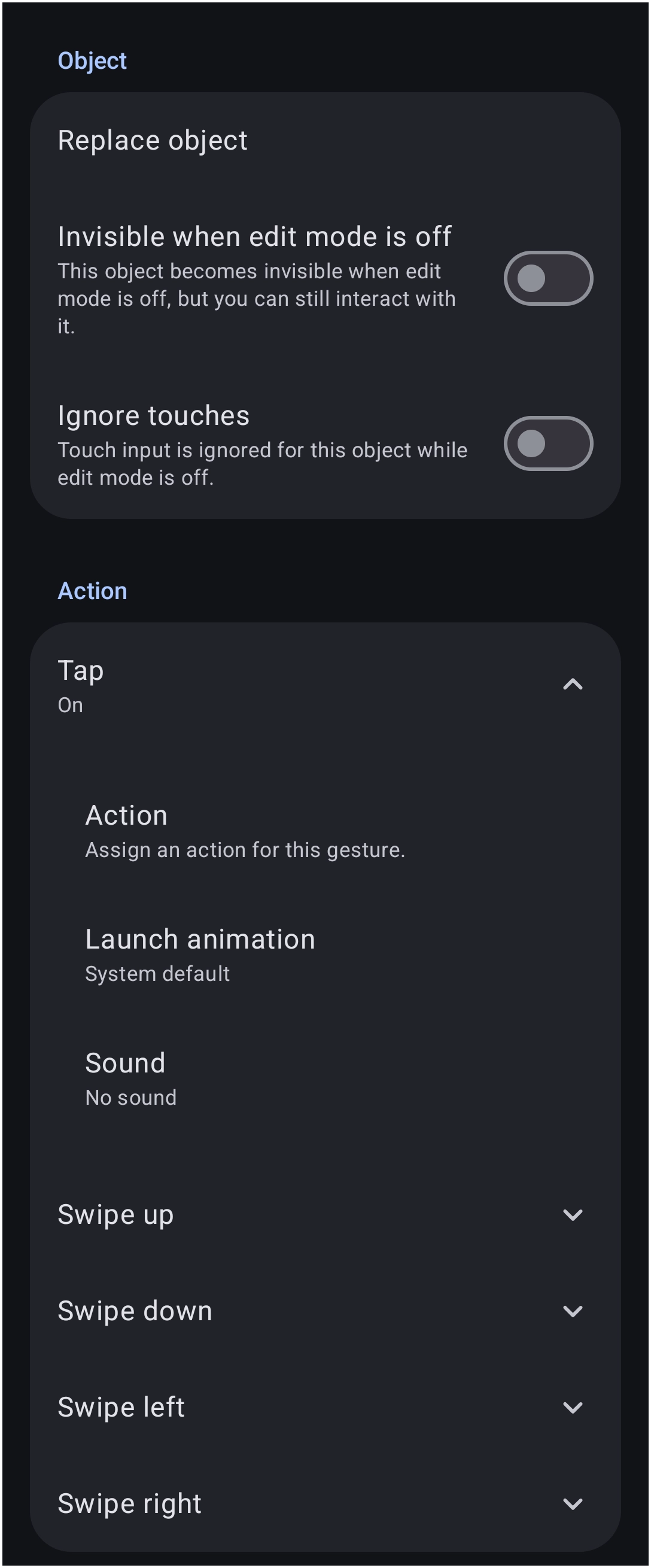
- The Action dialog opens (see image).
- Scroll to view the various actions available. In this example, use
Tap- Select Tap >
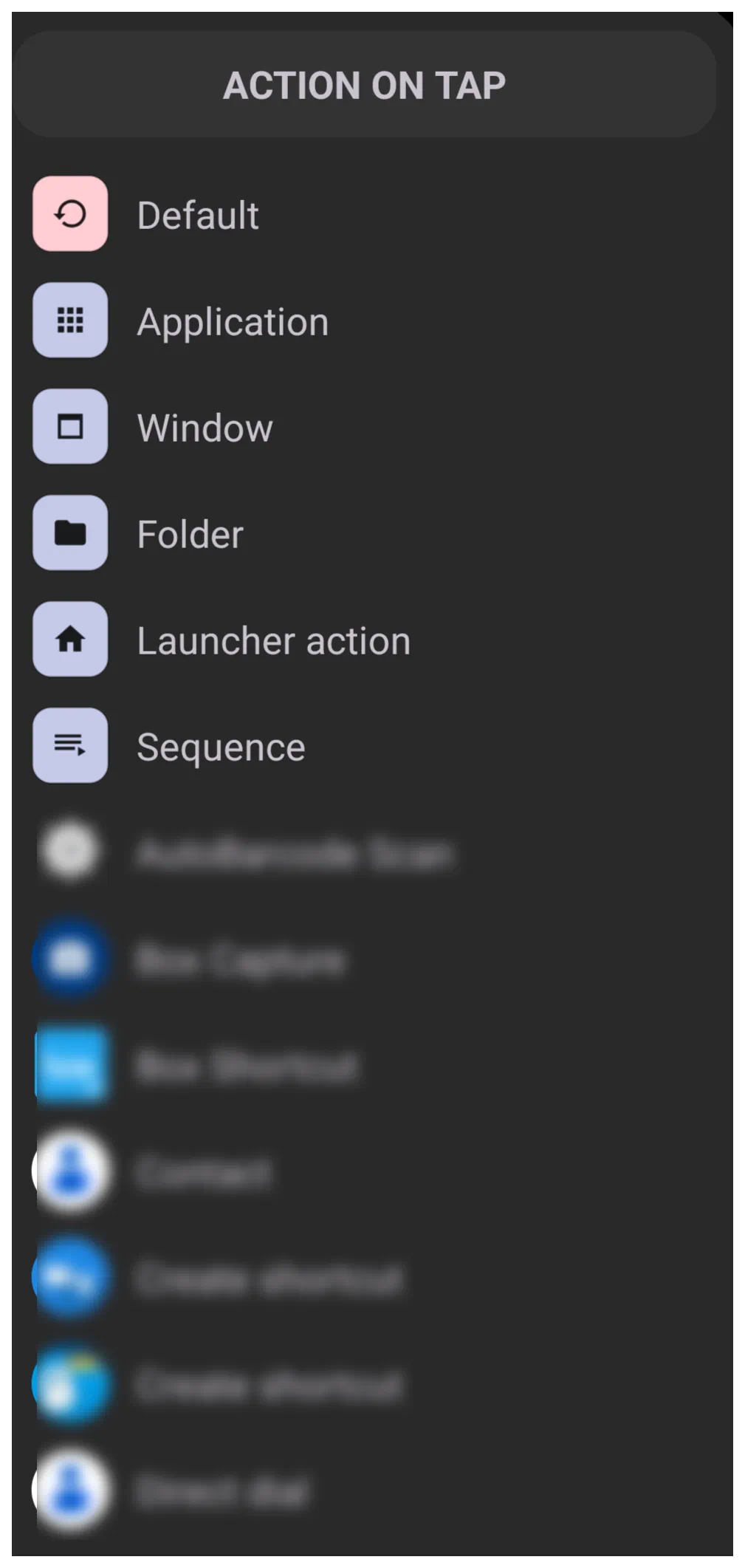
Actionto open the Action On Tap dialog: (see image) - Select Window to open the Window-Portrait dialog (see image)
- Scroll the dialog to find and select the example
App_Widget_Window - TL now returns to the previous Action On Tap dialog (Tap) and shows that the tap action will open the
App_Widget_Window - Back out to the page
- The window object icon is on the page. When tapped, it will open the newly created App_Widget_Window.
- If the widget was not previously added, it can now be added.

Window: Add an Existing Widget to a Window after the Window Has Been Created
- There are two ways to add an object to a window:
- When creating a new window: as outlined in the previous procedure
- As an afterthought… a window exists, and a user wishes to add any object to the window, such as a widget. So, now at this point …
- Create the object to be added to an existing window:
- Enter Edit On mode
- From the top Object Design Menu, select the Object Add icon
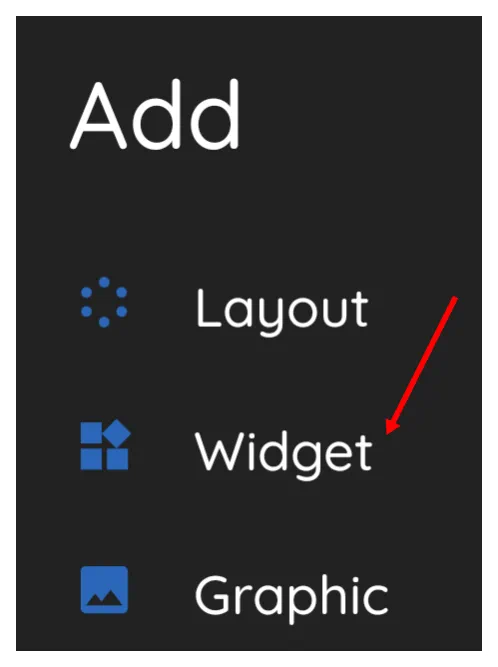
- The Add dialog opens (see image). Then …
- Select Widget
- Select any desired object, but in this procedure,
App drawer- Note: There are 3 types of application drawers and 1 contact “drawer”. Each has its own characteristics, which can be confusing when you really dive into their uniqueness. A full description and dissection can be found at here in Widgets if desired.
- The App drawer widget is now on a page, centered. Tap-hold and drag to relocate it so that it does not block access to the other object(s) that will activate the window.
- The App drawer widget is on the screen and is selected. The following steps will place the widget within the window:
- Tap the Object Design Menu Copy icon
 , which will remove the highlighting of the App drawer widget, but will change the Add icon to a new Add-Paste icon
- Now, to paste the copied widget into the window. Open the target window (tap the window widget)
- In the upper right corner, tap the
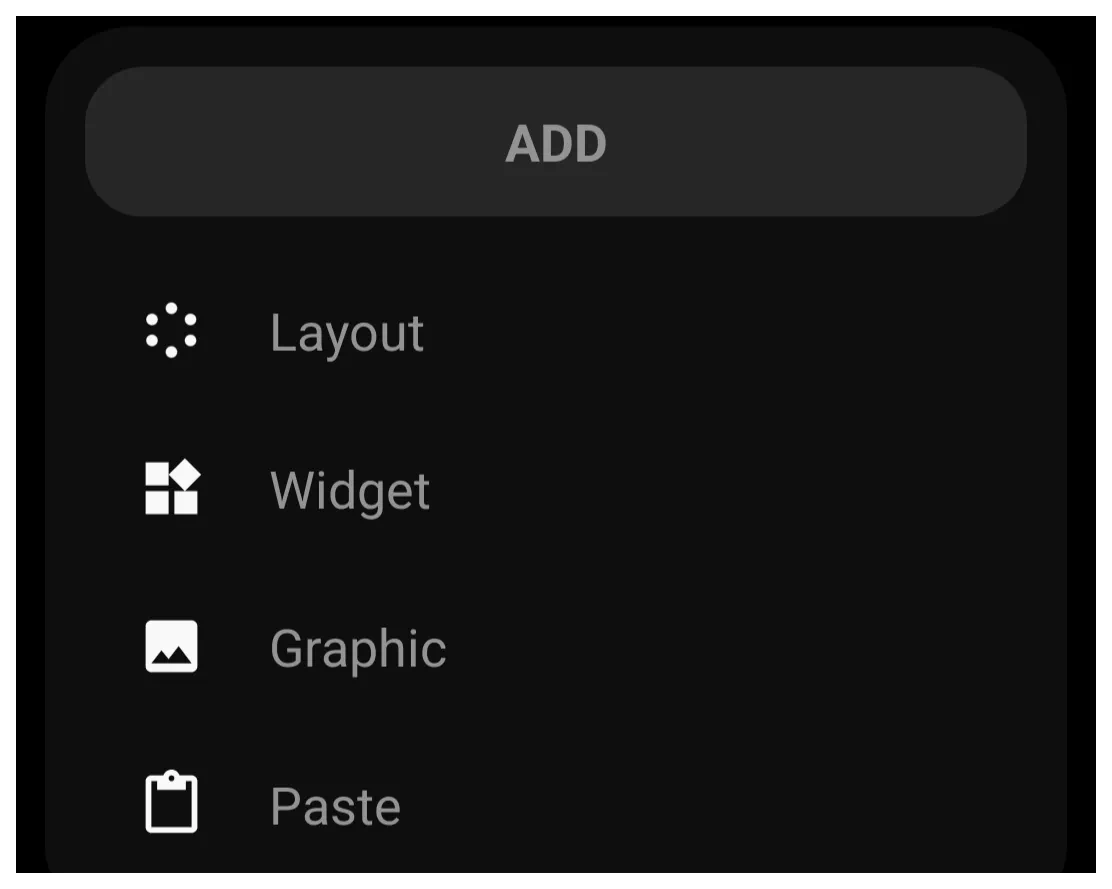
- From the Add dialog, select
Paste(see image)- The “App_Widget_Window” now contains the App Drawer widget
- Close the window by either tapping a blank space outside the window (if the full-screen window has been downsized earlier, there should be enough edge space to do so) or by swiping right-to-left.
- The page still contains the original App drawer widget. Since that widget is now contained in the window, it is proper to delete the original App Drawer widget from the page.
- In Edit On mode, tap and hold the App Drawer widget to select it.
- From the Object Design Menu, select the Delete icon

- The Confirm - Remove Selections dialog opens. Select OK
- The widget is removed



The project is completed.
A #FeatureRequest has been submitted to the developer to introduce a Launcher Action that toggles the object's Action > Invisible when edit mode is off feature. If implemented, it would allow individual objects or groups to be dynamically shown or hidden without relying on the complexities of window containers or page-swap workarounds.
Comments & Feedback
Toby Lancer is ready to help! Look for the Quick Help form:
► Desktop: left sidebar located near the bottom for Private to Admin
► Mobile: 3-bar menu at page top.
► Use the Discussion section below to share any experiences and communications with other Total Launcher users.
► Any Registered User can directly update this and any wiki page if desired.
Moderation: To keep the manual clean, all comments are held for appropriateness review. Preview any comment before submitting it. It will not be displayed after submission until it is reviewed. So, please, do not resubmit.
Formatting: If using any code snippets, place them inside code tags (e.g., 'code') using double single quotes (') before and after to keep them readable.
Be Kind: This is a community effort. Please keep feedback constructive and on topic.
~~DISCUSSION~~